
how to stop phone from overheating: Easy Tips to Cool Your Device Fast

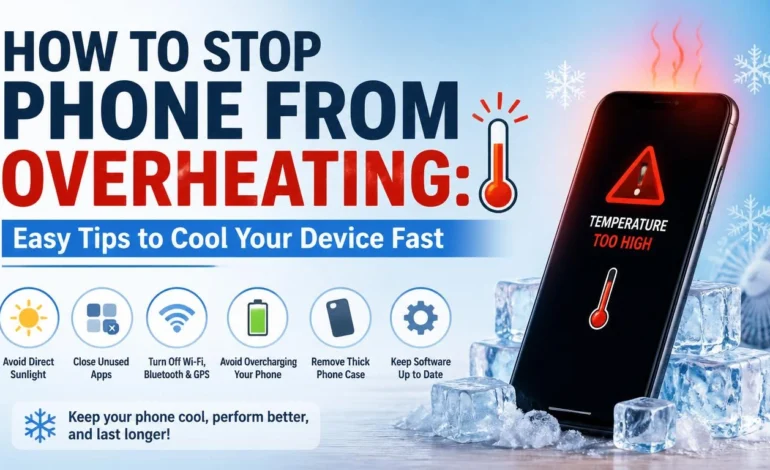
Your phone could get hot while you’re having fun in the sun or even when you’re merely watching TV online. Sluggish operation, increased battery use, or even shutdown is possible. When that happens, knowing how to stop phone from overheating is useful. A phone that gets too hot isn’t only annoying; it can shorten the device’s lifespan and decrease its performance. To maximize your phone’s performance, it’s important to know how to keep it from overheating.
You can’t just throw your phone in the pool to beat the heat, but there are ways to keep it from overheating. By following these easy steps, you can prevent your phone from getting too hot and so prolonging its lifespan. In order to begin troubleshooting your phone’s overheating, we will list some of the possible causes below. After that, we will discuss ways to keep it cool and functional.
What could be causing your phone to overheat?
Phones get hot for a reason. These things happen most of the time because we push them too hard. A lot of games, fast charging, a lack of air flow, or even just being outside in the Indian summer heat can make it very hot very quickly. We’ve seen that our phone gets warmer after 15 minutes of games while it’s charging. That’s not a good mix.
The good news? Once you know what’s causing these problems, you can fix most of them. There are several reasons why phones get hot. Not everyone is familiar with them. Some typical causes of phone overheating are as follows:
- Sitting in direct sunshine: even for a short period of time, might diminish the battery life and performance of your phone. If your phone is left in the sun for an extended period of time, it could sustain irreparable harm.
- Using an excessive number of applications concurrently: Cranking up the number of applications and/or processes on your phone can cause it to overheat and strain its CPU. Because of this, it may get hotter on the inside and eventually overheat. Using a lot of visuals in an app might be really taxing.1q
- Malfunctioning battery or charger: It’s not unusual for your phone to get slightly hot while it’s charging. However, if it overheats, it could be an indication of problems with the battery or charger cord. If your phone is running multiple apps or left in the sun for an extended period of time, wireless charging may potentially cause it to overheat.
- Streaming content: If you use your phone for gaming or streaming, it could put a strain on your device. To prevent your phone from overheating, try reducing the amount of streaming you do or switching to a different device.
- Malware: Your phone could get infected with malware and start overheating if you click on a corrupt link, open a malicious email, or use an unreliable software. Malware puts a strain on your phone’s hardware by effectively taking over its memory and CPU.
- Updates: every phone needs updates eventually, but they can also make your phone hot. There shouldn’t be any lasting problems because this is typical and only transitory.
Why does it become dangerous when a phone overheats?
Smartphones are made to work safely in a range of temperatures, usually between 0°C and 35°C. However, using them outside of this range can speed up the wear and tear on internal parts like the battery, processor, and screen.
There are more risks to burning that are listed below.
- Loss of performance: If your phone gets too hot, it can lose performance, making it slow and hard to run apps.
- System failures: When a computer gets too hot, the operating system can stop working, crash, or restart itself without warning.
- Battery explosion: If the battery gets too hot, it can explode, which is dangerous for the person using it.
- Loss of Data: If your phone gets too hot, it can damage the photos, videos, and documents that are saved on it.
7 Advice on how to stop phone from overheating
Don’t worry if your phone feels hot already. Wants to know how to stop phone from overheating? Some quick things you can do to cool down your phone are listed below.
Don’t put your phone in full sunlight
Keeping your phone out of the sun is the best way to keep it from getting too hot. The longer the contact, the hotter your phone gets because it soaks up and holds on to the sun’s light and heat. If you keep your phone out of direct sunlight, it will last longer and not get too hot.
Don’t use your phone while it’s charging
The gadget is already using power to charge the battery while it is charging. When you do other things at the same time, like watching movies or playing games, the processor has to work harder, which raises the temperature.
Don’t run too many apps at the same time
Because big apps use more power when they’re open at the same time, having multiple apps open at once makes your phone hotter. Closing apps, you’re not using can help keep your phone from getting too hot.
Make the screen less bright
Not only does leaving the screen brightness at full power drain more energy, it also makes the phone warmer. So, turning down the light on your phone helps the processor do its job better.
Don’t leave your phone in a car
When it’s hot outside, don’t leave your phone in the car. The temperature inside the car can rise quickly, even if it is stopped in the shade.
Turn off app updates in the background
Turning off background app refreshes, a function that lets apps update themselves, can help your battery last longer and keep your phone from getting too hot. Your phone should let you choose which apps to update in the background if you don’t want to stop all of them. To stop an iPhone app from refreshing in the background, do these things: Going to Settings > General > Background App Click “Off” after “Refresh.” To turn off background app refresh on an Android, go to Settings > Apps > All apps > Choose the app whose background app refresh you want to turn off > Select “Restricted.” Keep in mind that if you turn off background app refreshes on Android, the app will also stop giving you notifications.
Remove Caches from Apps
Your phone saves things like pictures, videos, audio files, and website material as you use apps or browse the web so it can load faster later. This group of files is called your phone’s cache. Clearing your phone’s cache on a regular basis can make it run faster and keep it from getting too hot. To clear an iPhone’s app cache, do these things: Choose the app you want to delete from the list of apps on your iPhone and tap “Offload App.” Once you’re done, go to Settings > Apps > All apps, pick out the app you want to delete, and then tap “Storage and cache.” > Click on “Clear Cache.”
Long-Term Methods to Prevent the Overheating of the Environment
Short-term fixes can help, but if you want to keep your phone from overheating in the long run, prevention is the best option.
Start by adding space and apps. Phones that have a lot of background processes, apps that aren’t being used, or storage that is almost full tend to work harder than they need to. It really does help to do a quick clean up every couple of weeks.
Don’t forget to update your program either. Performance improvements that handle heat better are often part of updates. And if you play games a lot, think about phones that are made for that. They’re better at dealing with heat.
Keep an eye on how hot or cold your phone is.
There are apps that can help you check the temperature of your device. If it’s too hot, you might want to let the phone cool down for a while.
Take your phone case off
Some types of case materials can make the phone heat up even more. If you see that your device is getting hot, take off the phone case or other protected covering.
Turn off functions that aren’t needed
Bluetooth, Wi-Fi, and GPS should be turned off when not in use. Because these features can make more heat, the phone’s temperature may rise on hot days.
Get the latest version for your phone
Update your working system and any apps that are out of date. Updates may include improvements that make it easier to deal with heat and work better in different settings.
Turn it off for a while if it gets too hot.
If your hand feels hot while using your phone, turn it off for ten minutes. This will give it time to cool down.
Conclusion
If your phone gets hot frequently, taking preventative steps early can save battery life, increase speed, and reduce the risk of permanent damage. A refrigerated phone is not the most accessible right now works faster but in addition stays more secure and reliable over time. Follow the real-world recommendations, and you should be able to hold your phone comfortably while out and about during long sports sessions, streaming, or even in hot weather.
Knowing how to stop phone from overheating can help your device last longer and perform better every day. Overheating is usually caused by heavy app usage, direct daylight, fast charging, historical past strategies, or software glitches. The perfect news is that maximum heating issues can be stable with easy habits like reducing screen brightness, closing unused apps, keeping your smartphone updated, and even preventing the use of your phone as a charger.
Shruti Singh is a passionate writer having 6 years of writing and editing experience. Through her articles on news2world, she explores the connection between people, planet, and everyday choices, translating complex information and issues into clear, engaging, and practical insights. Her work aims to inspire readers to adopt eco-friendly habits, think critically, and contribute meaningfully to a more comfortable future.