


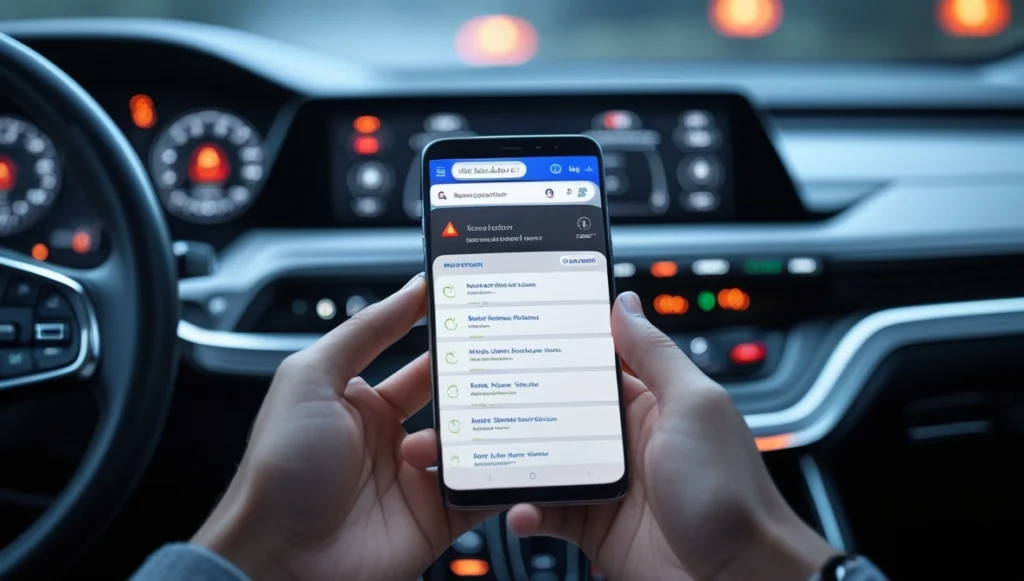
The lights on the dashboard of your car are likely one of the most misinterpreted elements of driving. One of the lights turns on, and either is ignored completely, or panic sets in as drivers cannot figure out what one specific light means. Truth be told, your vehicle does use warning lights to signal issues, and recognizing these can save you money and money in terms of costly repairs, breakdowns, and crashes.
This is where the question is very relevant: “how do i use search live to identify the signs showing on my car dashboard?” Search Live is a real-time visual search that you can use just by pointing your device camera at the warning light on the dashboard, and it gives you the exact symbol name and an explanation. Rather than digging for an owner’s manual or hoping you might be correct, you can receive an answer in just a few seconds. In this blog, we’re going to explain exactly how Search Live can be used, list some of the common dashboard warning lights, explain them, and give an immediate solution.
What is a car dashboard warning light?
Car dashboard warning lights are display symbols that are integrated into a car’s instrument cluster, and are controlled by the onboard diagnostics system – also called the OBD. It is the OBD that monitors the state of your car’s systems at all times.
The warning lights can generally be broken down into 3 colour categories:
- Red symbols-these are for issues that need an immediate warning, and have the potential to seriously damage a car’s mechanics, or even compromise the driver’s safety, and one should not continue to drive until the symbol has been addressed.
- Yellow or amber symbols-these warning lights are for issues that should be addressed fairly quickly, but they don’t usually warrant an immediate stop to your journey, although failing to take action can develop into major problems.
- Green or blue symbols-these are generally informational symbols, stating that a certain system is activated, e.g., Headlights, cruise control, or high beam lights
Recognising what colour light is lit, is the initial step to deciphering what it is actually trying to communicate to you.
How is it done using Search Live to identify your car warning lights on the dashboard?
Search Live is a type of AR function being introduced into AI-driven search engines and apps that use a mobile device’s camera as an input device to allow real-time image recognition. Here are the steps to do so.
Step 1: Open the Search Live Function.
- Find the camera icon, or the icon associated with visual search on the specific app or platform where the function is available — whether asking how do I use Search Live to identify the signs showing on my car dashboard? through the Google Lens app, the Bing Visual Search tool, or any suitable application with live camera feed input functionality available.
- Touch on the camera icon,
- If you are prompted for permission, allow the app permission to access your mobile device’s camera.
Step 2: Target your camera at the symbol on the dashboard
- Point your phone at the dashboard warning light and keep it steady
- Get close enough so that the symbol is clear and identifiable. Also, make sure that it is not shadowed or dim. Dashboard warning symbols can be quite small, and so it might be necessary to bring your phone quite close to your dashboard
- Avoid glare from the sun, as it can have the same effect:
Step 3: Run the Search
- Once your camera is targeted at the symbol, press the search or identify button
- The search tool examines the live video and attempts to match the symbol in view with a collection of vehicle warning lights. Results are returned in a matter of seconds, and usually tell you the name of the symbol, what it indicates, and what to do.
Step 4. Read the result and react.
The warning light displayed will either have an Urgent or Information warning sign. Check your owner’s manual for your vehicle for information specific to the particular warning lamp on your dashboard. All red warning lamps mean a situation that has or will occur is critical: stop, turn the vehicle off, and find an experienced service person immediately.
Step 5. Search again for more details.
This would bring you to: (symbol name) (car make and model) repairs, forums, and estimated repair costs: (example: “engine temp warning light Toyota Camry 2020 – what to do”)
Most Common Car Dashboard Warning Signs and What They Mean
Knowing what your dashboard symbols will look like in the future will help you waste less time and get overly anxious.
Engine Warning Light (Check Engine).
You will know this symbol is related to the engine by the shape it takes, after looking like the shadow of the engine block. If you are unsure what it means, how do I use Search Live to identify the signs showing on my car dashboard? is the fastest way to get an accurate answer, though this symbol may represent anything from an open gas cap to a failing catalytic converter.
A steady warning light will suggest something a bit more imminent than a flashing warning light that flashes at you, though it suggests that an active fault that may be damaging the vehicle.
To know what exactly the car is trying to tell you about its problems, you will need to scan it with an OBD reader for a fault code.
The Battery warning light
The battery light symbol on the dashboard shows that the charging system has a problem. The cause for a failure in the vehicle’s charging system could be one of three possible reasons. All three of these will lead to complete failure in electric power in the vehicle while being driven, and any of the three would cause you a large amount of trouble:
- Broken / Faulty Alternator
- Dead Battery
- Broken Drive Belt
The Oil pressure warning light
The oil pressure warning light symbol (similar to that of an oil can) is possibly the most important red warning light on the dashboard. Without sufficient oil pressure throughout the vehicle, the destruction of the engine would be the eventual and unstoppable conclusion. Within just a few minutes, a lack of oil pressure can irreversibly destroy the engine.
Coolant Temperature Warning Light
The warning light comes on when the coolant within the engine is too hot to be safely operated. This can be very damaging to the engine if driven whilst overheating. One reason why coolant could be overheating is a lack of coolant, a stuck thermostat, or a leak within the radiator. A blown head gasket would be a costly engine repair.
Tyre Pressure Warning Light (TPMS)
One or more of the tyres are over- or under-inflated with this warning light, and while there may not be an issue with driving the car, the problem still affects your fuel economy, handling, and tire life in the long run. Check all 4 tyres with a tire pressure gauge. Inflate the tyres to the manufacturer’s recommended PSI, which can be found on the driver’s door.
Brake System Warning
This light may illuminate because of the following:
- low fluid, worn brake pads, or the anti-lock braking system has an issue.
- Never disregard red brake lights; there’s a better than even chance that the car is having existing brake problems.
- Have brakes inspected and repaired immediately before the car is driven.
Transmission Temperature Warning
This light generally signifies that the fluid for your transmission is overheating. This is most commonly encountered when a vehicle is carrying a load or is experiencing long periods of stop-and-go traffic. The correct response is to lessen the load placed upon the transmission and allow it to cool down.
How ‘Search Live’ avoids wrong answers like guessing?
Most drivers guess at, or go by what others are told to do when an indicator warning light comes up. Here, the risks are quite high:
- An incorrect diagnosis of a fault leads to unnecessary repairs and loss of cash
- A critical fault might be ignored, due to it not being recognized. This could cause engine failure or loss of the gearbox.
- Searching written data, when not seeing the original symbol, usually provides poor results and a lot of confusion.
Search Live bypasses guessing completely; it uses the actual symbol displayed to provide an instant, correct reading. The picture reading is much faster and more precise, and means that there is no need to guess a description, or be forced to name a symbol which the driver is unfamiliar with. To anybody wanting to know how do I use Search Live to identify the signs showing on my car dashboard?, it literally involves not guessing at all — the camera takes care of that.
Advice for the best performance of Search Live
Here are a few tips on getting the best results from any visual search function:
- Make sure the lighting is right: although symbols are illuminated, they rely on outside lighting for the best recognition from the camera. Reduce any glare on the dashboard before scanning.
- Hold your phone steady: a blurriness that will be encountered with moving hand-held photography will not be recognizable for symbol recognition; stead-hand with hand on steering wheel or dashboard before tapping ‘search’.
- High-quality phone camera required: for symbols that may be smaller on a lower resolution phone camera, zoom in with care before scanning.
- Update your app: The symbol databases for visual search are continually being added to by adding new car models and symbols; with an outdated app, some symbols may not be recognized.
- Supplement visual search with text: Once the visual search results are obtained, it is always best to complement these by using a text search of the symbol name and vehicle make.
Conclusion
Dashboard warnings appear on a car’s display precisely because the car’s systems already know about the problem. Disregarding or guessing their meaning leads to spending, safety compromises, and a shorter vehicle lifespan. Knowing how do i use search live to identify the signs showing on my car dashboard? offers a way that all drivers can get real, instantaneous answers without any need for mechanical expertise or manual reading.
The pairing of Search Live for recognition with text searches for model-specific information forms the perfect approach, from identification to proper response. All drivers should be equipped with this capability because dashboard lights tend to appear at less-than-ideal moments.
FAQ
Q1. How do I find out what my car’s dashboard warning lights mean with Search Live?
When you need to check what a dash light represents, simply open a visual search app, point it at the dash light, and press search. Then it will know what the dashboard light is and have a result in seconds.
Q2. Can Search Live detect the warning lights on every car model?
It will detect the most general warning lights (most are quite universal); however, be prepared for a second text-based search for specific model warning lights.
Q3. What should I do if my dashboard’s red warning light starts flashing while driving?
If you have the red warning light flashing whilst driving, pull over as safely as possible, turn the car off, then in no circumstances must you proceed until you know what is wrong with the car.
Q4. Do warning lights switch themselves off?
Some warning lights after the fault is rectified, such as the TPMS warning light (which detects if the tyres are at the correct level of inflation), will reset automatically, but some other lights, such as the ‘check engine light’ need to be reset.
Q5. Can I continue driving with a yellow warning light?
Yes, you can continue driving however, your fault needs to be addressed within a few days of noticing it.


Shruti Singh is a passionate writer having 6 years of writing and editing experience. Through her articles on news2world, she explores the connection between people, planet, and everyday choices, translating complex information and issues into clear, engaging, and practical insights. Her work aims to inspire readers to adopt eco-friendly habits, think critically, and contribute meaningfully to a more comfortable future.


